

Public Profile
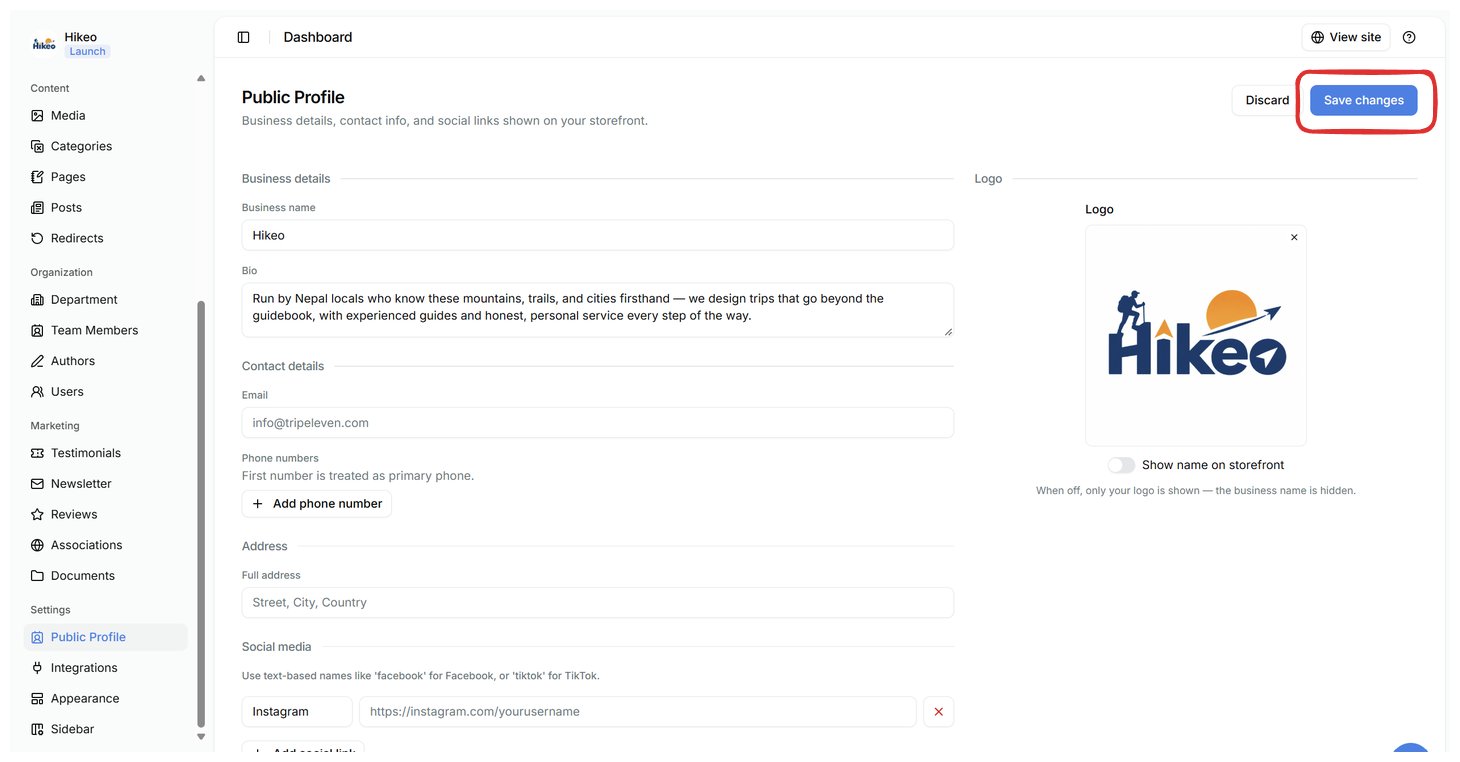
- Business name and bio
- Public email
- WhatsApp number, digits only, including country code
- Phone numbers (the first is treated as primary)
- Full address
- Social platform names and full profile URLs
- Logo and business-name visibility
Appearance
Open Settings → Appearance to manage the homepage hero, headline, benefits, information and About sections; inner-page headers and images; homepage SEO title, description and social-share details; colour palette and fonts; and navbar and footer links. Use paths such as /about for internal links and full URLs such as https://example.com for external sites. Save, then open your storefront in a new tab to check desktop and mobile layouts.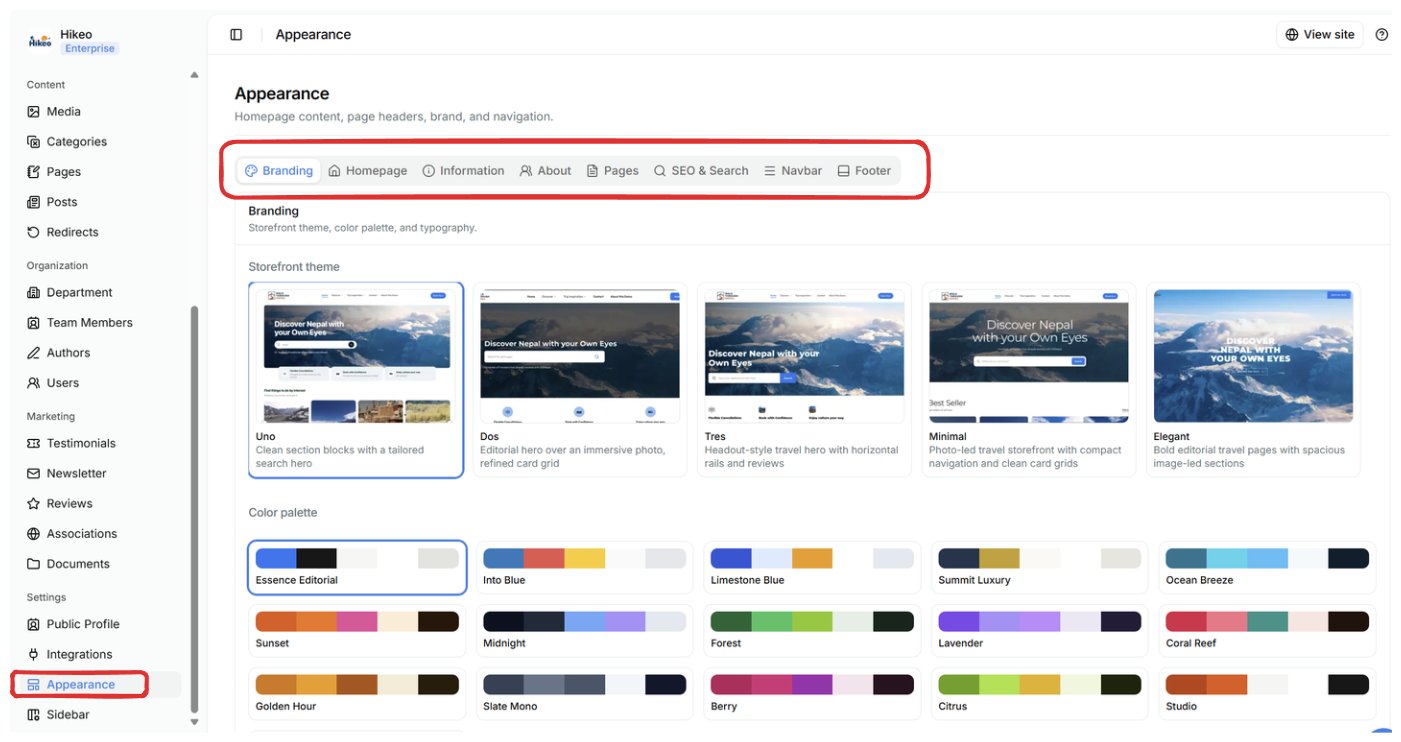
Theme
Theme selection requires the Launch plan or higher. Open Settings → Appearance, expand Basic Brand, choose a theme and select Save changes. A theme affects the whole storefront. Content, colours and fonts stay separately editable.Navigation
Navbar and footer editors are inside Settings → Appearance. Add a label and URL for each item, move items up or down to reorder, and increase or decrease depth to nest or un-nest them. Publish trips and info pages before linking to them, and save after reorganizing either menu.Redirects
Use Content → Redirects after renaming or moving a page.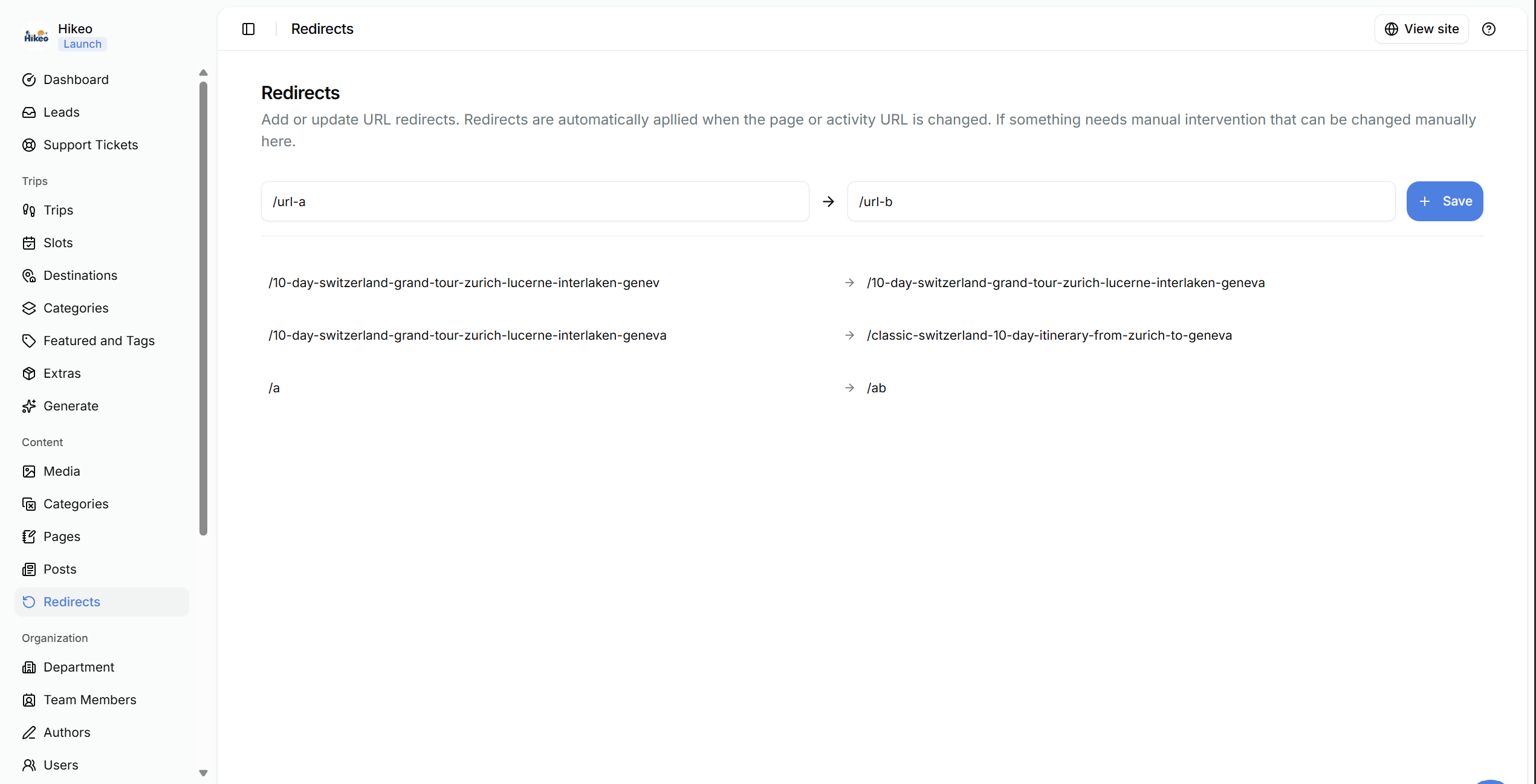
- Enter the old path in From, such as /old-tour.
- Enter the new path in To, such as /trips/new-tour.
- Save the redirect.