

Departments and team members
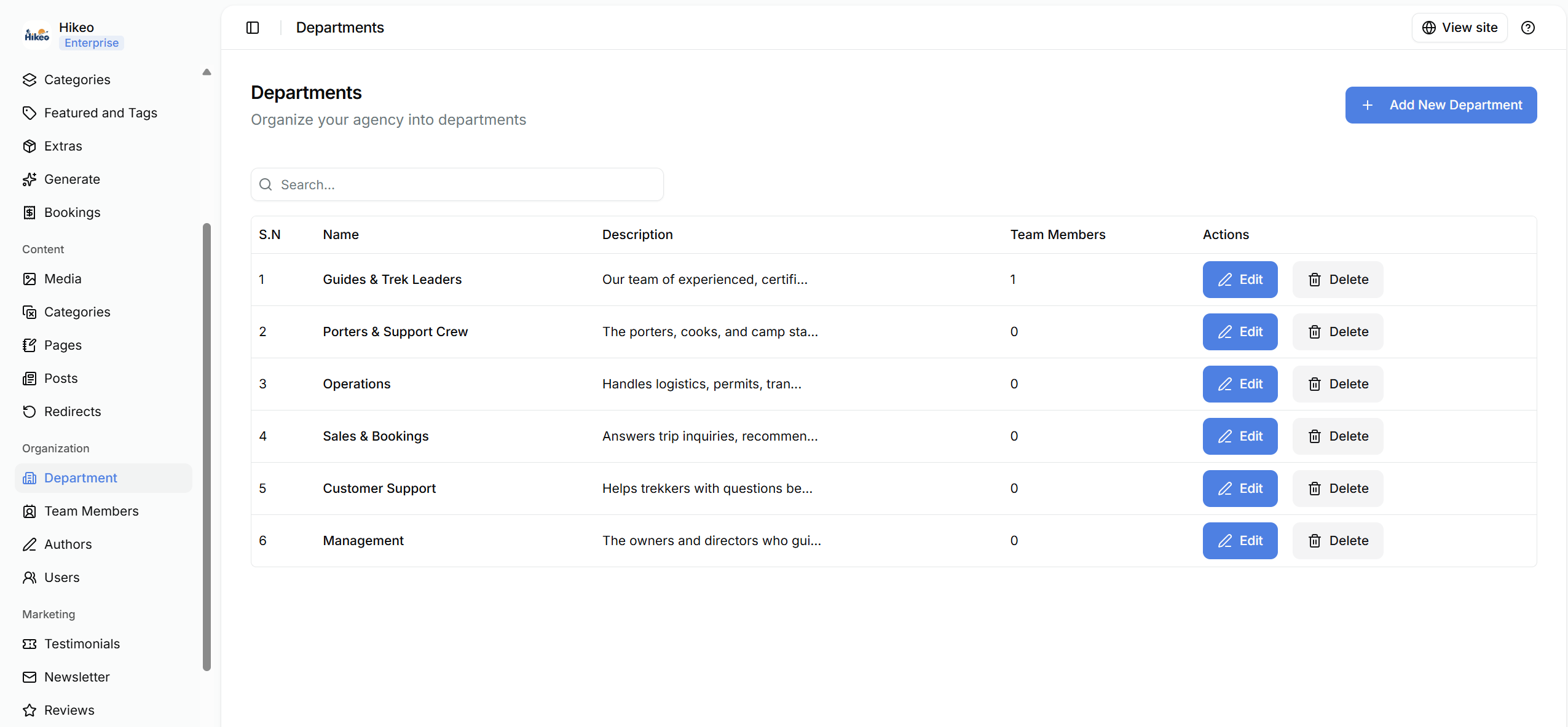
- Organization → Department: create internal or public-facing departments.
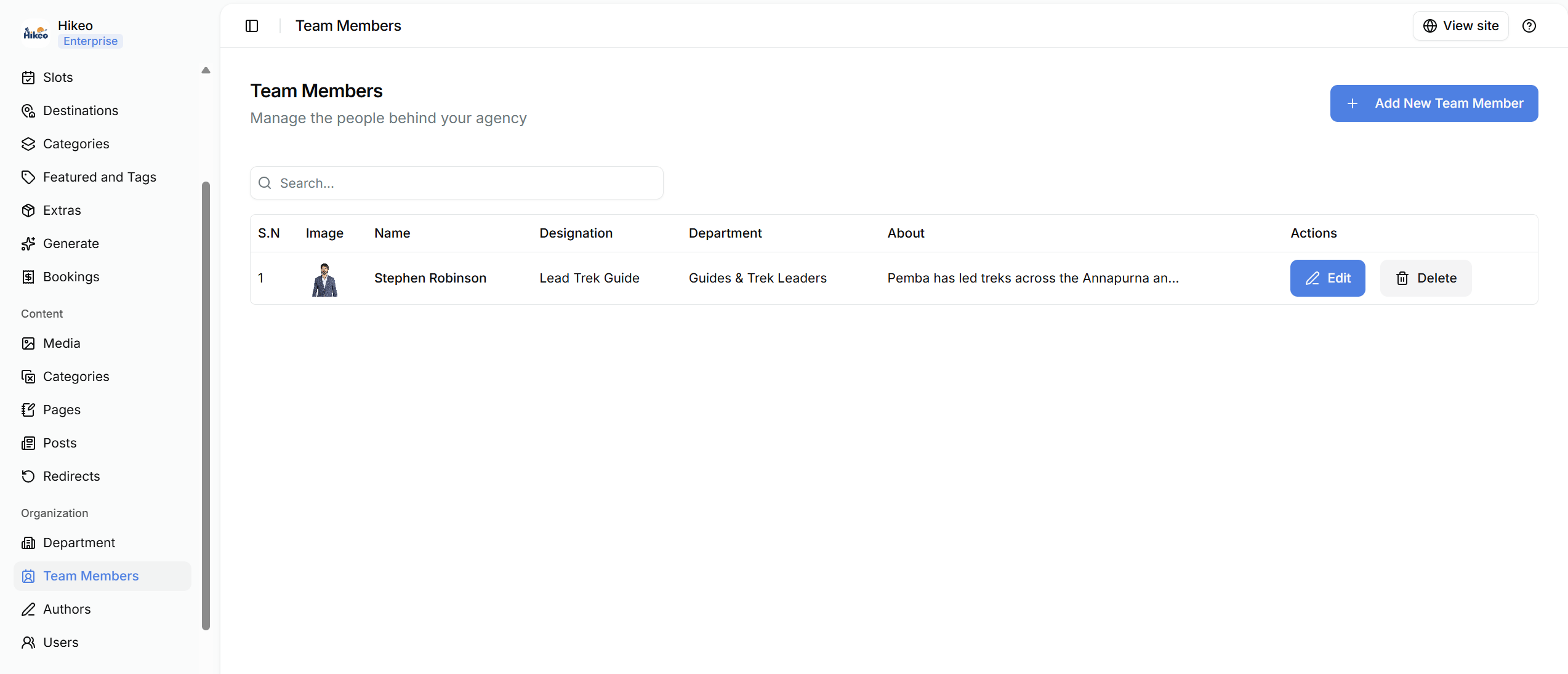
- Organization → Team Members: manage people shown as part of your agency on the storefront, with details, department, biography and media.
Dashboard users
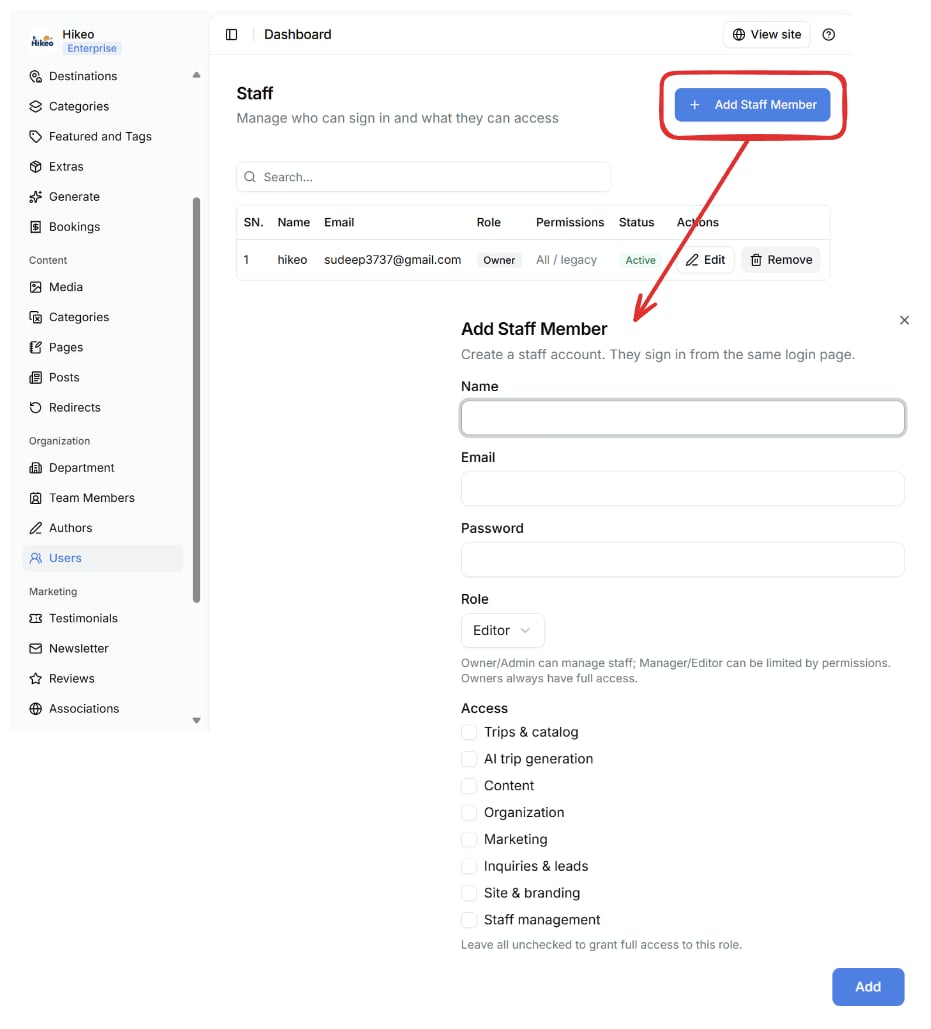
Open Organization → Users to manage people who can sign in.- Select Add Staff Member.
- Enter name, email and an initial password of at least six characters.
- Choose Owner, Admin, Manager or Editor.
- Select permitted areas.
- Select Add. The user signs in from the same login page.
- Owners always have full access.
- Owner and Admin roles can manage staff.
- Manager and Editor access can be limited by selected permissions.
- Leaving every permission unchecked grants full access (for compatibility with older accounts). Select at least one permission when limited access is intended.
- Turn off Active to block sign-in without deleting the user.